 Click to zoom
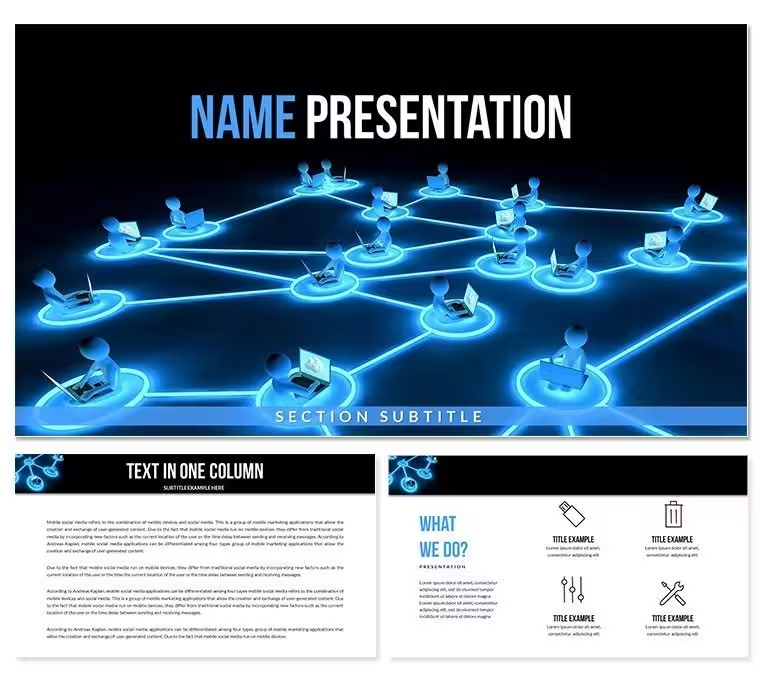
Internet Network Diagram Keynote Template - Editable KEY
| Format | .pptx |
| Slides | 3 unique layouts |
| Aspect ratio | 16:9 |
| Compatibility | PowerPoint |
| Animated | No |
| Language | English |
| License | Commercial |
| File size | — |
| Version | v1.0 |
| Last updated | September 2026 |
What's inside
What is a Keynote diagram template for internet network presentations? It is a pre-built Apple Keynote file containing editable diagrams that visualize computer network structures, server connections, and web infrastructure - ready to drop your content into without drawing from scratch.
Files and Formats Included
28 diagrams ship inside this Keynote diagram template, organized across 7 distinct color schemes. Every diagram covers a different facet of internet and computer network communication: node-to-node topologies, server access flows, web hosting architecture, and e-commerce data routing. The download delivers two file types - a .key file for full editing in Keynote and a .kth theme file for applying the masters to existing decks. Three master slide layouts and three pre-built backgrounds are included at both the base and paid tier.
The 28-diagram set works as a modular library. A network architect might open with a topology overview on slide 1, move to a server access diagram mid-deck, and close with a web hosting breakdown - all within the same visual language. The consistent line weight, icon style, and spacing across all diagrams means mixed-and-matched slides read as a coherent deck rather than a patchwork.
Unlike sets built around single-layer connectivity maps, this collection spans multiple network abstraction levels: physical topology, protocol layers, and application-layer flows. That range makes it usable across a single presentation that must address both technical and business audiences - without switching templates mid-project.
Who Reaches for This Template
An IT consultant at a managed services firm needs to present a proposed network redesign to a client's executive team on Thursday. Building topology diagrams from scratch in Keynote - accurate, clean, and client-ready - takes most of a working day. Starting from this set cut that prep to under two hours: swap node labels, recolor to match client branding, drop in actual IP ranges.
A university lecturer in network engineering uses the same file semester after semester. Swapping color schemes between the OSI-layer diagrams and the e-commerce flow diagrams lets her distinguish topic sections visually. Students track where they are in the course by color - something no generic slide master provides.
Download the Internet Computer Network Keynote template and start editing immediately.
Customization in 5 Steps
How do I customize this Keynote network diagram template? Open the .key file, replace placeholder labels, adjust colors through the master slide, and export. Full process below.
- Step 1 - Open the .key file in Keynote 12 or later (1 minute)
- Step 2 - Choose the color scheme matching your brand or topic - 7 schemes available, switchable from the diagram panel (2 minutes)
- Step 3 - Replace node and connection labels with your actual server names, URLs, or network segments (4-6 minutes per diagram)
- Step 4 - Adjust icon layers - server icons, router symbols, and device markers are on separate layers; swap or hide without breaking layout (3 minutes)
- Step 5 - Export as .key for sharing or PDF for distribution (1 minute)
Editing difficulty: Beginner to Moderate. No design background needed for color and label edits. Icon layer adjustments require basic Keynote familiarity.
Building From Scratch vs. Starting Here
Drawing a clean network topology in Keynote from a blank slide requires placing individual shapes, connecting them with precise lines, aligning icon layers, and then replicating the entire structure across multiple diagram types - typically 4 to 6 hours for a set of 5 coherent slides. The connector snapping in Keynote is functional but not specialized for network diagrams; lines frequently need manual adjustment after any node is moved.
A design observation worth noting: the diagrams in this set place device labels outside the node shapes rather than inside them. On a projected screen at 1080p, text inside small circular or rectangular nodes becomes illegible beyond the third row. Labels outside, connected by thin lines, remain readable at any projection size without requiring font size increases that would break the layout.
- Time to first usable slide from scratch: 45-90 minutes
- Time to first usable slide from this template: 8-12 minutes
- Design skill required from scratch: intermediate (shape alignment, connector routing, icon sourcing)
- Design skill required from template: beginner (label replacement, color selection)
Network diagrams built manually also tend toward inconsistency - line weights drift, spacing between nodes varies across slides, and icon styles mix. The uniformity in this set is structural, not cosmetic: every diagram uses the same grid, the same connector weight, and the same icon family.
Download the Internet Computer Network Keynote template and start editing immediately.
Frequently Asked Questions
Which Keynote version is required to open this template?Keynote 12 or later is required, which corresponds to macOS Monterey and above. Earlier versions of Keynote may open the .key file but cannot guarantee full compatibility with master layouts and color scheme switching. The .kth file works as a theme importable into any compatible Keynote version. If you are on an older macOS, check your Keynote version in the App Store before purchasing. Keynote for iPad and iPhone also supports .key files, though editing complex diagram layers is more practical on a Mac.
What is the difference between the free and paid version?The free tier ($12.00) includes the 3 master slide layouts and 3 backgrounds only - no diagrams are included. The paid tier ($22.00) adds all 28 network and topology diagrams plus 7 switchable color schemes. For anyone who needs to present actual network structures or infrastructure flows, the paid tier is the functional version. The free tier is useful if you only need the branded master frames to drop your own content into.
Can I use this template in paid client work?Yes. The license covers internal business use and client-facing presentations. You may customize and present the diagrams as part of deliverables to paying clients. Resale of the template files themselves, sublicensing to third parties, or redistribution as a standalone product is not permitted. Review the full Terms of Use on ImagineLayout.com for the complete license scope before any commercial use outside standard client presentations.
How do I change the color scheme for a diagram?Each of the 28 diagrams has 7 pre-built color variants. To switch: open the .key file in Keynote 12+, select the diagram slide you want to recolor, and navigate to the color scheme panel in the slide master settings. Choose a scheme from the 7 available options - the change applies to all elements in that diagram simultaneously, including node fills, connector colors, and icon tints. No manual recoloring of individual shapes is required. For brand-specific colors not in the 7 schemes, select individual shapes and override via the Format sidebar.
Does the template include animation support?Animations are not pre-applied in the template. All diagrams are delivered as static slides, which keeps the file size manageable and avoids unwanted animation triggers during editing. Adding animations is straightforward in Keynote: select a shape or connector group, open the Animate panel, and apply a build-in effect such as Appear or Wipe. For network diagrams, a sequential Wipe build-in on each connector layer effectively simulates a live network connection flow. Animations can also be removed from any slide in the same panel.
What is the refund policy?ImagineLayout offers a refund policy for purchases that do not meet expectations. Review the full Refund Policy page on ImagineLayout.com for current conditions and the process for submitting a request. Refunds are typically assessed based on whether the downloaded files match what was described on the product page. Contact ImagineLayout support directly via the Contact page with your order details to initiate a refund request.
Good for
- Project roadmaps and sprint plans
- Product launch timelines
- Quarterly or annual review decks
- Company history and milestone summaries
Licence
reviews
I used it for class and it was easy to fill in my content.
The arrows and diagrams were helpful.
FAQ
Will it work in Google Slides?
Are fonts embedded?
Can I use this for client work?
What's the refund policy?
Do you update the template after purchase?
Similar templates
See all Keynote templates →



All 1 slides