 Click to zoom
Paris Guide Keynote Template - Fully Editable | ImagineLayout
| Format | .pptx |
| Slides | 3 unique layouts |
| Aspect ratio | 16:9 |
| Compatibility | PowerPoint |
| Animated | No |
| Language | English |
| License | Commercial |
| File size | — |
| Version | v1.0 |
| Last updated | September 2026 |
What's inside
What is a Keynote diagram template for travel destination presentations? A Keynote diagram template for travel destination presentations is a pre-built .key file with structured layouts, editable diagram frames, and multiple color schemes designed for travel, tourism, and city-guide content - ready to edit in Apple Keynote 12 or later without design expertise.
Files and Formats Included
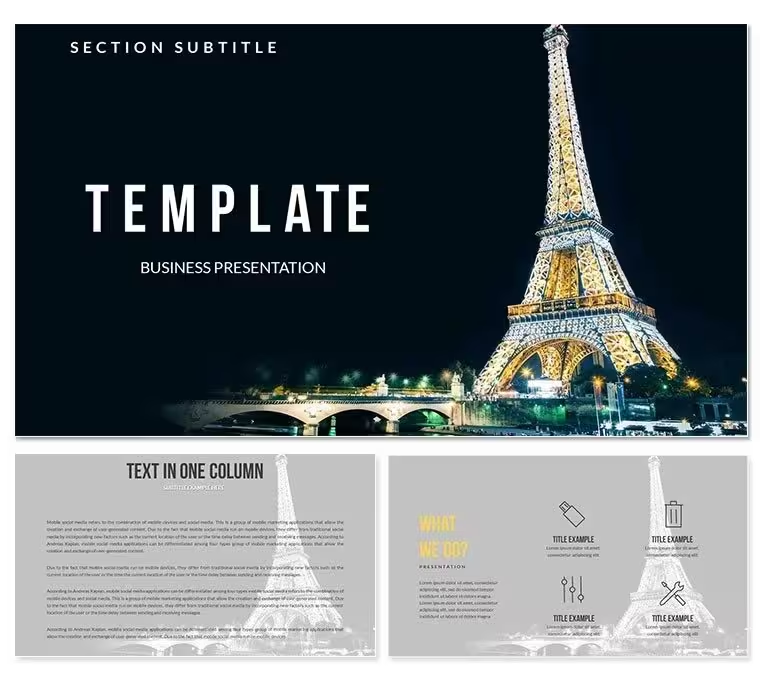
28 diagrams and 7 color schemes make up the paid version of this Keynote diagram template, product ID KT02549. The layout types cover destination overview structures, city quarter breakdown diagrams, itinerary timeline frames, and attraction spotlight layouts - all oriented around Paris-specific travel content while remaining fully adaptable to other city or travel topics by replacing text and imagery.
At $22.00, the paid package includes all 28 diagrams, the 7 color scheme variants, 3 Keynote slide masters, and 3 backgrounds. The $12.00 base tier covers only the 3 masters and 3 backgrounds. The diagram library - which is where the presentation value sits - belongs exclusively to the paid version. Both tiers include the .key and .kth files for editing and theme import respectively.
The distinguishing characteristic of this set relative to general travel templates in the same category is the Paris-specific visual orientation: muted Parisian tones with structured accent colors, rather than the broad tropical or adventure color palettes common in travel-oriented diagram sets. That specificity makes the layouts immediately usable for a Paris-themed deck without needing to recalibrate the visual language.
From Strategy Decks to Boardroom Pitches
A travel consultant at a boutique tour operator needs a client pitch deck for a Paris-focused corporate retreat package. Building structured overview and itinerary layouts from scratch in Keynote takes the better part of a morning. Using the 28 pre-built diagram frames, the consultant filled in venue details, neighborhood breakdowns, and day-by-day itinerary structures in under an hour - cutting deck preparation from roughly three hours to 50 minutes.
An events manager at an international conference company uses the city quarter diagrams and attraction breakdown layouts to prepare welcome orientation decks for attendees arriving in Paris. The structured information zones keep transport options, hotel proximity data, and cultural site highlights visually separated - making the slide readable at a glance rather than requiring attendees to parse a text-heavy bullet list.
Academic lecturers in travel and hospitality programs at universities use the destination overview and comparison structures for course material. The 7 color schemes allow different modules - history, gastronomy, architecture - to carry distinct visual identities within the same file, reused across multiple consecutive teaching sessions without rebuilding the layout.
Download and start editing immediately
Adapting the Template to Your Brand
How do I customize the Guide to Paris Keynote template for my brand or organization? Open the .key file in Keynote 12 or later, navigate to the master slide view, update the color palette to your brand colors, replace all placeholder text with your specific content, and export. The process takes under 15 minutes on a first attempt.
- Step 1 - Open the .key file in Keynote 12 or later (1 minute) - All 28 diagrams, 3 masters, and 3 backgrounds load immediately on file open.
- Step 2 - Identify the diagram layouts relevant to your content (2 minutes) - Browse the slide panel; keep the layouts you need and delete unused slides.
- Step 3 - Replace placeholder text with your destination or brand content (5 minutes) - Click any text field and type directly; grouped elements do not need to be unlocked.
- Step 4 - Apply a color scheme via the master slide palette (2 minutes) - View → Master Slides; select the scheme that matches your brand identity or destination mood.
- Step 5 - Export as .key or PDF (1 minute) - Choose PDF for email or print distribution; keep .key for live presenting with edit access.
Editing difficulty: Beginner. The master slide system makes global color changes in two clicks. No design background is needed to adapt the file to a new brand or destination context.
What You'd Need to Replicate This Yourself
Reproducing 28 Paris-oriented diagram layouts from a blank Keynote file means designing each frame geometry, establishing visual hierarchy through font sizing and weight, aligning information zones across 28 slides, and producing seven coordinated color variants - all while maintaining the muted-tone visual language that makes the Parisian aesthetic work in a presentation context. A Keynote-experienced designer needs 6-8 hours. Someone without design experience regularly underestimates that timeline and delivers slides with inconsistent spacing and contrast ratios that reduce readability on projected screens.
A specific layout decision worth noting: city and attraction presentations typically fail when they attempt to show photography, text, and structural diagrams on the same slide without clear zoning. The layouts in this file assign distinct zones to each content type - image areas, text columns, and diagram frames are spatially separated. That zone segmentation is a deliberate layout composition choice. It prevents visual competition between elements and keeps the audience's reading path predictable, which matters during live presentations where the speaker is also speaking.
Download and start editing immediately
Frequently Asked Questions
Which Keynote version is required to edit this file?The .key file opens and edits fully in Keynote 12 or later on macOS. If you are running macOS Ventura or Sonoma, Keynote 13 is available from the Mac App Store at no cost and is the recommended version for full master slide editing access. Earlier versions of Keynote (pre-12) may not render color scheme transitions or certain master slide elements correctly. Keynote on iPhone or iPad supports basic text editing and slide viewing but does not expose the master slide palette, so brand color customization should be performed on a Mac. The .kth file installs the design as a reusable theme in your Keynote theme browser.
What is the difference between the $12 and $22 purchase tiers?The $12.00 base tier includes 3 slide masters and 3 background designs - a functional Keynote theme for text-centric or photo-led presentations. The $22.00 paid tier adds all 28 diagram layouts and all 7 color scheme variants. The diagram layouts are what enable structured city breakdowns, itinerary frames, and attraction comparison slides. If your presentation requires more than basic text slides with a visual background, the $22.00 version is the relevant purchase. The 28 diagrams are not included in the base tier and cannot be purchased separately.
Can I use this for a paid travel agency or event management client project?The standard license supports use in your own internal and client-facing presentations. If the output is a deliverable you are producing on behalf of a paying client - for example, a travel agency producing a branded itinerary deck for a corporate client - verify the license terms with ImagineLayout before distributing the final file. Redistributing, reselling, or sublicensing the template design itself is prohibited under all license tiers. Contact ImagineLayout support if you have questions about multi-client or agency use cases before making your purchase.
How do I switch between the 7 color schemes?Open the .key file and select View → Master Slides from the menu bar. The 7 pre-built color schemes appear as separate master variants in the master slide panel. Click the master that corresponds to the color scheme you want to apply; the change propagates automatically to all 28 diagram slides linked to that master. To use different schemes in different sections of the same deck - for example, a different visual identity for each day of an itinerary - assign slides to different masters via the slide panel on the left. No manual per-slide color editing is required.
Does this template include animations or transitions?The template does not include pre-built animations or transitions. All Keynote animation tools - including build-in, build-out, and slide transition effects - are fully compatible with every element in the file. To add a build, select any shape or text element, open the Animate panel from the right sidebar, and choose a build type. For travel and tourism presentations in live or client settings, Appear or Fade builds are typically the most appropriate - they maintain professionalism without distracting from content. If you prefer no animation at all, no existing builds need to be removed from the file.
What is the refund policy?ImagineLayout offers refunds for technically defective files - files that fail to open, are corrupted, or do not function as described with the stated Keynote version. Refunds are not available for purchases where the file downloaded and opened correctly but the visual style or layout does not match the buyer's expectations after download. The product page provides 28 preview images of the actual slides; review them before purchasing to confirm the layouts suit your use case. For technical issues, contact ImagineLayout support with your order details to initiate a refund or replacement.
Good for
- Project roadmaps and sprint plans
- Product launch timelines
- Quarterly or annual review decks
- Company history and milestone summaries
Licence
reviews
Used it for a class project, it was easy to edit.
Charts are simple and understandable.
Slides are a bit repetitive.
Helpful for quick presentation prep.
FAQ
Will it work in Google Slides?
Are fonts embedded?
Can I use this for client work?
What's the refund policy?
Do you update the template after purchase?
Similar templates
See all Keynote templates →



All 1 slides